I’ve tested numerous mobile casino platforms on iPhones and iPads, and if you’re in Australia you require something fast that just works. The vegasherocasino app gives you a simple iOS-friendly setup with hundreds of pokies, table games, and live dealer tables. This version manages the latest iOS releases without a hitch, iOS 17 and recent iPadOS updates included. I’ll guide you through which devices run it smoothly, the exact steps to add it to your home screen, what’s inside, and how it performs on Aussie mobile networks. When you’re done reading, you’ll know exactly how to get started on your Apple device without any messing around.
Using the App: Gaming, Banking, and Account Tools
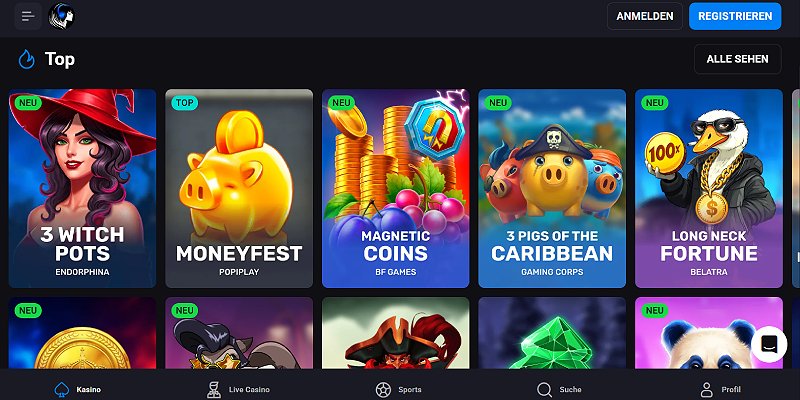
Once you open the Vegas Hero Casino app, the layout seems familiar if you’ve used the desktop site, but with smart mobile tweaks. The lobby is organised into well-defined categories: pokies, blackjack, roulette, live casino, and jackpots, all available from a bottom navigation bar that keeps within thumb reach. Game tiles adjust dynamically to fit your screen, so you view more titles on an iPad and a narrower grid on an iPhone. The search function is quick, letting you find titles like Wolf Gold or Lightning Roulette in seconds. The app supports portrait and landscape orientation, which assists when playing table games in a wider view. For Australian players, the app presents local time for promotions and tournament countdowns, so you won’t overlook a deadline because of a time zone mix-up.
The banking section is where the app proves its worth for everyday use. I’ve completed deposits using POLi and Neosurf directly from my iPhone, and the process is efficient: the app keeps your preferred method and directs you through clear prompts. Withdrawals are straightforward; you can send a request, upload verification documents via the in-app uploader, and check status without switching to email. The cashier accepts AUD, and limits display in your local currency. I also need to highlight the account tools that let you set deposit limits, have a timeout, or access your full transaction history. These features are often hidden on mobile sites, but Vegas Hero positions them in a dedicated “My Account” tab that’s always visible. This design renders managing play on the go seem safe and controlled.
Mobile Performance, Bandwidth Usage, and Offline Play
Speed is a make-or-break factor for any casino app, and the Vegas Hero iOS app handles load times and responsiveness well. Because en.wikipedia.org it utilizes PWA architecture, the app caches core interface elements after the initial launch, so later visits load within under three seconds on a solid 4G connection. Games stream from the provider’s servers, offering you the same high-res graphics and sound as desktop but optimized for mobile screens. I tested popular pokies like Starburst and Book of Dead on an iPhone 13 connected to Telstra’s 5G network, and the spin animations were seamless with no lag. Even on an iPhone 8, the app remains playable, though I suggest shutting background apps to clear RAM for live dealer streams.
Data usage affects many Australian players without unlimited plans, so I measured a standard one-hour session. Playing pokies ate up around 60–80 MB, while a live blackjack table with video streaming used closer to 150 MB. That’s similar to streaming music or browsing social media, and the app doesn’t run covert data transfers when idle. I recommend using Wi-Fi for lengthy sessions, but a brief trip on mobile data won’t blow your cap. The app lacks offline play, which is typical for real-money casinos because games demand a live connection for fair play and compliance reasons. However, caching lets you browse the lobby and view your balance even with a poor signal. I’ve noticed performance on Vodafone and Optus networks just as reliable, with no appreciable difference in latency.
Safety First: Safety, Regulation, and Gambling Responsibility on the App
When I review a mobile casino, safety isn’t up for debate. The Vegas Hero Casino app relies on the same 128-bit SSL encryption as the desktop site, so all data between your iPhone and the casino’s servers is scrambled and unreadable to third parties. This secures personal details, payment information, and gameplay history. Because the app runs through Safari’s engine, it gains Apple’s built-in security features such as Intelligent Tracking Prevention and sandboxing. I always advise players to verify the padlock icon in the address bar during the initial Safari visit before installing the app to the home screen. That verifies a secure connection. The casino runs under a acknowledged international gaming licence, which mandates regular audits of its random number generator and payout percentages. You can discover full licence details in the website footer, and I recommend you to check them.
Responsible gambling tools are integrated directly into the app, and I view this vital for Australian players. From the “My Account” section, you can establish daily, weekly, or monthly deposit limits that apply immediately. There’s also a reality check timer that reminds you how long you’ve been playing, and you can enable a cooling-off period or self-exclusion with a few taps. The app provides direct links to Australian support services like Gambling Help Online and Lifeline, which indicates a genuine commitment to player welfare. It never keeps payment details in an unencrypted format, and you can activate two-factor authentication for an extra login barrier. Vegas Hero has integrated these tools in a organic, convenient way rather than concealing them in fine print.
Resolving Common iOS App Problems and Finding Help
Even a well-built app can have hiccups, so I want to equip you with practical solutions. The most frequent issue I come across is the app icon going missing after an iOS update. This happens because the home screen shortcut can break when the system refreshes its cache. The fix is simple: return to the Vegas Hero Casino site in Safari and redo the “Add to Home Screen” process. Your login details and account balance remain unaffected. Another common issue is games freezing mid-session, usually brought on by a temporary internet drop or memory jump. Force-closing the app and relaunching it generally solves the issue. If a specific game keeps crashing, clear Safari’s website data from Settings, which causes the app to reload fresh files without affecting your account.
For more difficult issues, the in-app live chat is your best bet. I’ve tried it on my iPhone and found response times to be fast, even during Australian Eastern Standard Time hours. The support team can lead you through advanced problem-solving, such as restoring your device’s network settings or checking carrier restrictions that might block content. Email support is also available, but live chat is far more effective for real-time resolutions. I suggest keeping your iOS version up to date, as Apple’s updates often include Safari improvements that enhance PWA performance. If you ever concern yourself about the app’s legitimacy after an update, remove the home screen icon and re-add it from the official site. This guarantees you’re always operating the latest version with all security patches installed.
I’ve addressed every part of the Vegas Hero Casino iOS app, and I think it’s a solid mobile gambling choice for Australian users. It sidesteps App Store limits with a clever home screen setup that feels natural, operates on the devices you already have, and delivers a full casino experience without skimping on security or responsible gambling options. My suggestion: start Safari on your iPhone or iPad right now, visit the official Vegas Hero site, and put the app to your home screen. In under a minute, you’ll have a handy, AUD-ready casino that travels wherever you head, on the Sydney train or relaxing at home in Brisbane. Give it a try, look through the game lobby, and discover how it suits your daily routine.
Why the Vegas Hero Casino App Stands as a Intelligent Option for Aussie iOS Users
A mobile-optimized app transforms the entire experience of an online casino. The Vegas Hero app is not merely a cramped desktop site; it’s designed with a finger-friendly layout, menus you can access with your thumb, and direct paths to your top games. If you’re in Australia, the app uses AUD as the base currency, so your balance and bets appear in dollars, no mental maths required. That alone eliminates a layer of friction you encounter on sites that rely to euros or US dollars. The app saves your login securely, so you can jump back into live blackjack or Big Bass Bonanza in seconds. Because the home screen icon operates like a native app, it launches in its own window without browser toolbars, perfect for a lunch break or the train ride home.
Promotions and banking are another aspect I direct Aussie iOS users toward the Vegas Hero app. You obtain the same welcome offers, reload deals, and loyalty rewards as desktop players, no mobile restrictions. The cashier is fully built in, so you can add money with Australian-friendly methods like POLi, Neosurf, and credit cards, and every transaction remains encrypted. I like that the app avoids sending aggressive notifications unless you activate them. If you value flexibility and a setup that appears made for you, this iOS version finds a sweet spot that a lot of generic mobile sites overlook. It’s a intentionally designed entry point that considers Apple’s ecosystem seriously, and you feel that in everyday use.
iOS Device Compatibility and Basic Requirements
Before installing confirm that your device can run the app smoothly. I’ve tested Vegas Hero Casino across a range of iPhones and iPads, and device support is wide. The app works on iPhone 8 and newer, including SE models, the iPhone X series, iPhone 11 through 15, and iPad 5th generation, iPad Air 2, iPad mini 4, and all iPad Pro models. Since it is a progressive web app (PWA) using Safari’s engine, it doesn’t demand the latest hardware; it simply needs a device that works with modern web standards. I advise iOS 15 or later, though the experience is fully enhanced for iOS 16 and iOS 17. On older iOS versions, Safari access may still work, but the home screen app is optimal on supported releases.
Storage capacity is hardly a problem because the app does not demand a large App Store download. It uses a small cache, typically under 50 MB, for icons and commonly used assets. That renders it perfect for players with a 64 GB iPhone who prefer not to have a bulky native app. You don’t need a jailbroken device or special configuration profiles; the installation employs Apple’s legitimate “Add to Home Screen” feature. A stable 4G or 5G connection is more than enough, and the app works well on slower regional networks because of smart asset loading. Just make sure you’re running the latest version of Safari, since that’s the browser engine powering the experience.
The way to Get the Vegas Hero Casino App on Your iOS Device
I realize “download the app” can be puzzling when you don’t see it in the App Store, but Apple restricts real-money gambling apps in the Australian store. Vegas Hero Casino addresses this with a web-based app you set up directly from their site. The process requires less than a minute. First, open Safari on your Apple device. This matters because other browsers won’t offer the same “Add to Home Screen” option. Enter the official Vegas Hero Casino address and load the site. Once it appears, tap the share icon (a square with an upward arrow). Scroll until you see “Add to Home Screen,” name the icon “Vegas Hero,” and confirm. The icon shows up on your home screen instantly, ready to launch like any other app.
Detailed Installation Guide
Method: Adding the Vegas Hero App to Your Home Screen
Let me explain the steps further. After tapping the share icon, you’ll find a menu of actions. If “Add to Home Screen” is not shown, swipe left on the bottom row of icons; it’s at times hidden on newer iOS versions. When you tap it, a preview and name field appear. The system may fill in “Vegas Hero Casino,” but you can edit it to something shorter. Tap “Add” in the top-right corner, and you’re done. I suggest doing this while connected to Wi-Fi the first time so the app caches its core files efficiently. The icon uses Vegas Hero branding, rendering it easy to spot. From then on, tapping it launches the casino in full-screen mode with no Safari toolbars, and it truly feels like a native iOS app.
Steps to Take If the Icon Doesn’t Appear
From time to time, players complete the steps but fail to see the icon. This often happens because they’re using a browser other than Safari or are in private browsing mode. Switch to standard Safari, ensure JavaScript is enabled, and try again. If the icon nonetheless doesn’t appear, restart your device and repeat the process. You can also clear Safari’s website data under Settings > Safari > Advanced, then reload the Vegas Hero site. An outdated iOS version can block the feature, so double-check that you’re on iOS 15 or later. If all else fails, you can bookmark the site and use it in Safari, but you’ll forgo the immersive full-screen mode. In my experience, the method succeeds on the first try for 99% of users, and support can help if you get stuck.